Find Any File. Instantly.
AnySearch 3.2 goes beyond file names: describe a photo, screenshot, document or video moment to find it. A refreshed search window makes finding, previewing and opening files feel easier.
AI SEARCH · SEE IT IN ACTION
Remember the content. Find the file.
Skip the folders and the filename guesswork. Describe a scene or a topic, then preview related photos, videos and passages from books.
Idle time and transitions have been cut; retained footage plays at original speed. Results vary by Mac and files. AI Search requires Apple silicon.
Explore local AI SearchSee it in action
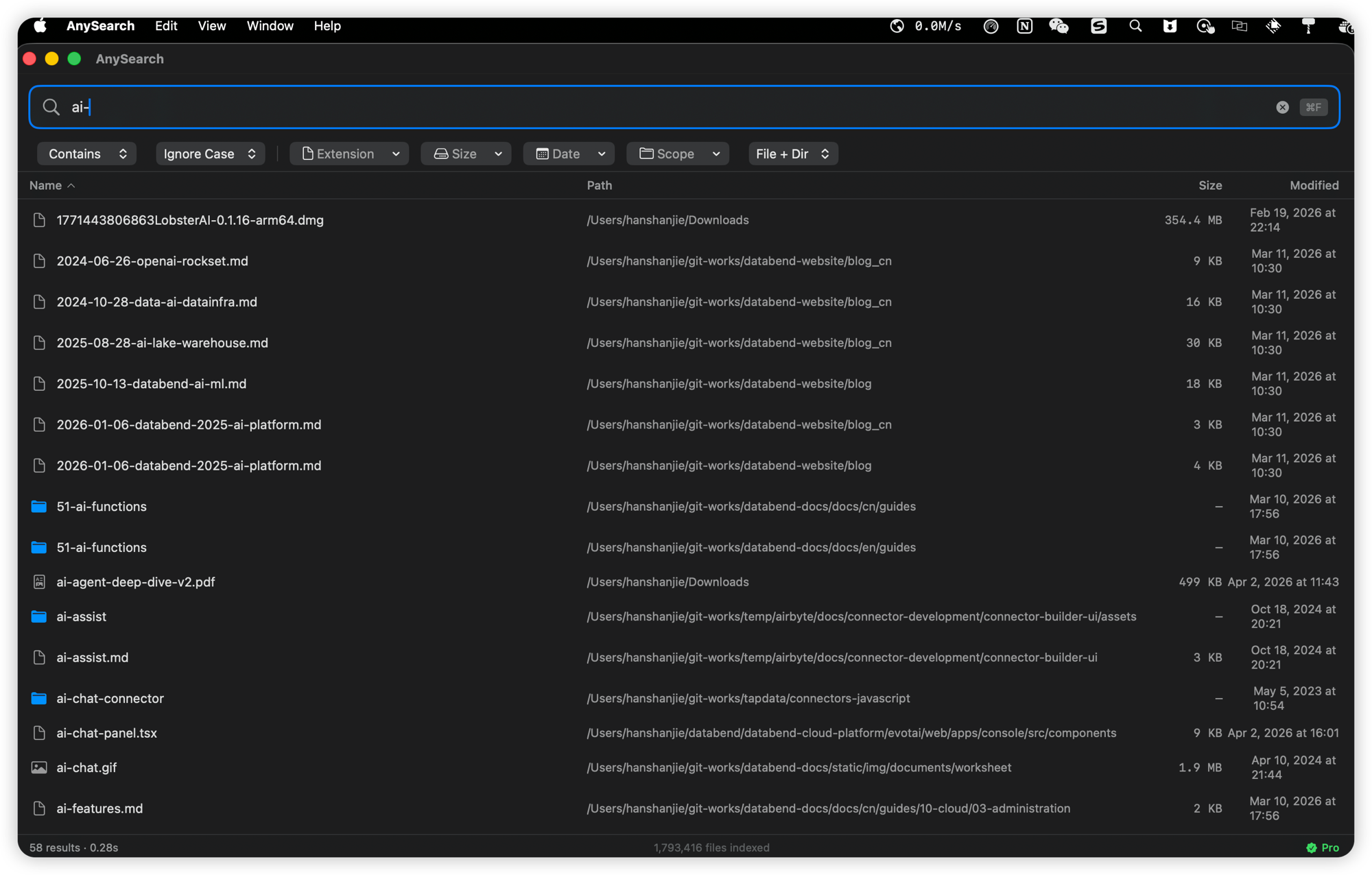
Lightning search, precise filters, everything under control.
Everything you need to find anything
From the refreshed search window in 3.1 to local AI Search in 3.2, find what you need even when you forget the file name.
Best Match Search
Relevant, recently edited and frequently opened files appear first, so you spend less time scrolling and more time getting things done.
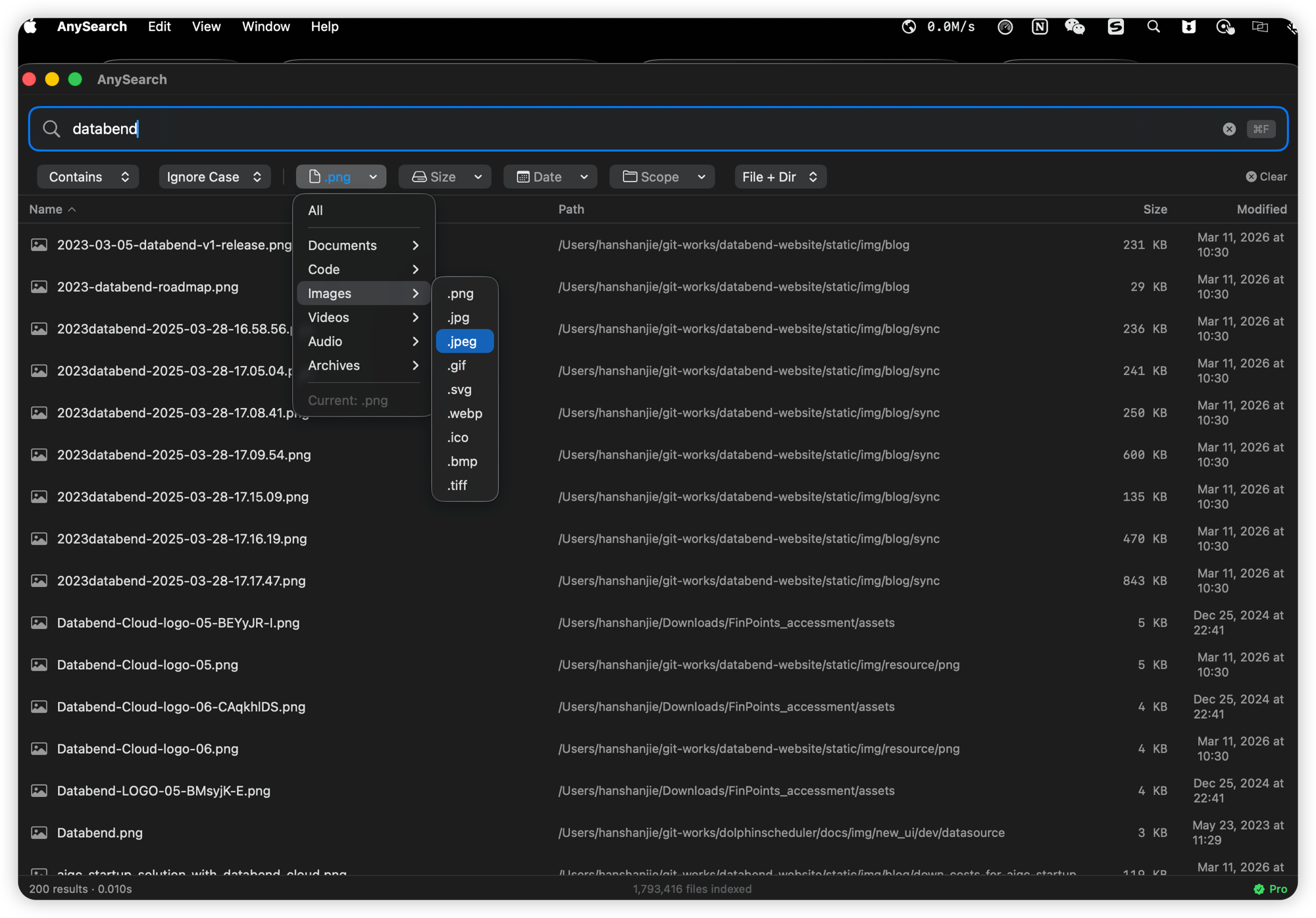
Clearer Filters, Fewer Steps
Narrow results by type, size, date or folder. Consistent filter labels and a single menu for sorting keep everything easy to find.
Describe It. Find It.
Describe a scene in a photo, a message in a screenshot or a passage in a document—even a moment in a video. AI Search works on Apple silicon Macs.
Keep Up with Your Files
New and edited files appear automatically. Keep searching and browsing results while AnySearch prepares your files in the background.
Global Hotkeys
Press ⌥Space to summon AnySearch from anywhere. ⌥⇧Space opens the compact quick search panel.
Private on Your Mac
AI Search reads only the folders you choose. After the initial download, it works offline without uploading your files or searches.
History & File Landscape
Resume recent searches and opened files, or inspect file types, largest files, folders, disks and possible duplicates in File Landscape.
Find and Preview Together
See each file’s folder beneath its name, then reveal it in Finder or copy its path. AI Search adds a side-by-side preview to help confirm the right match.
How AnySearch compares
| Dimension | AnySearch | Spotlight | Finder |
|---|---|---|---|
| Search Speed | Milliseconds | Seconds | Slower |
| Result Relevance | Pure file results | Mixed with apps/web | Mixed with system files |
| Advanced Filters | Syntax + visual | Basic text only | Hidden options |
| Real-Time Updates | Automatic | Manual reindex | Slow |
| Privacy | Local by default; AI is opt-in | Sends queries to Apple | Local |
| QuickLook Preview | Built-in spacebar | Not available | Built-in spacebar |
Ready to find files faster?
Download AnySearch and experience instant file search on your Mac.